RSTUDIO IDE

Dr. Ajay Kumar Koli, PhD | SARA Institute of Data Science, India



RStudio is an integrated development environment (IDE) for R and Python from company posit.

R and RStudio


Imagine R as a powerful engine


and RStudio as a stylish car


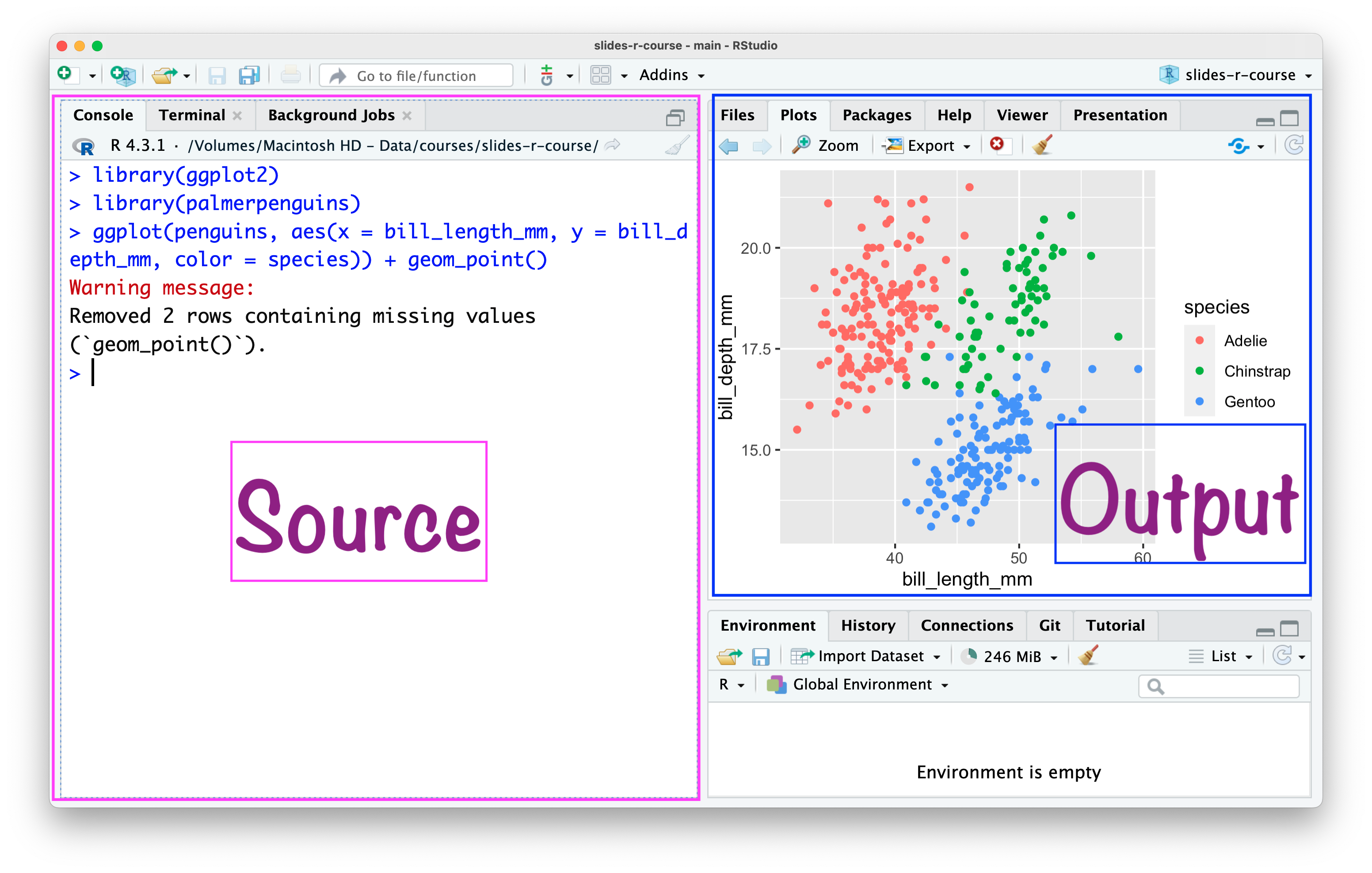
  • It includes a console, syntax-highlighting editor that supports direct code execution, and tools for plotting, history, debugging, and workspace management.

  • Download RStudio.

RStudio IDE

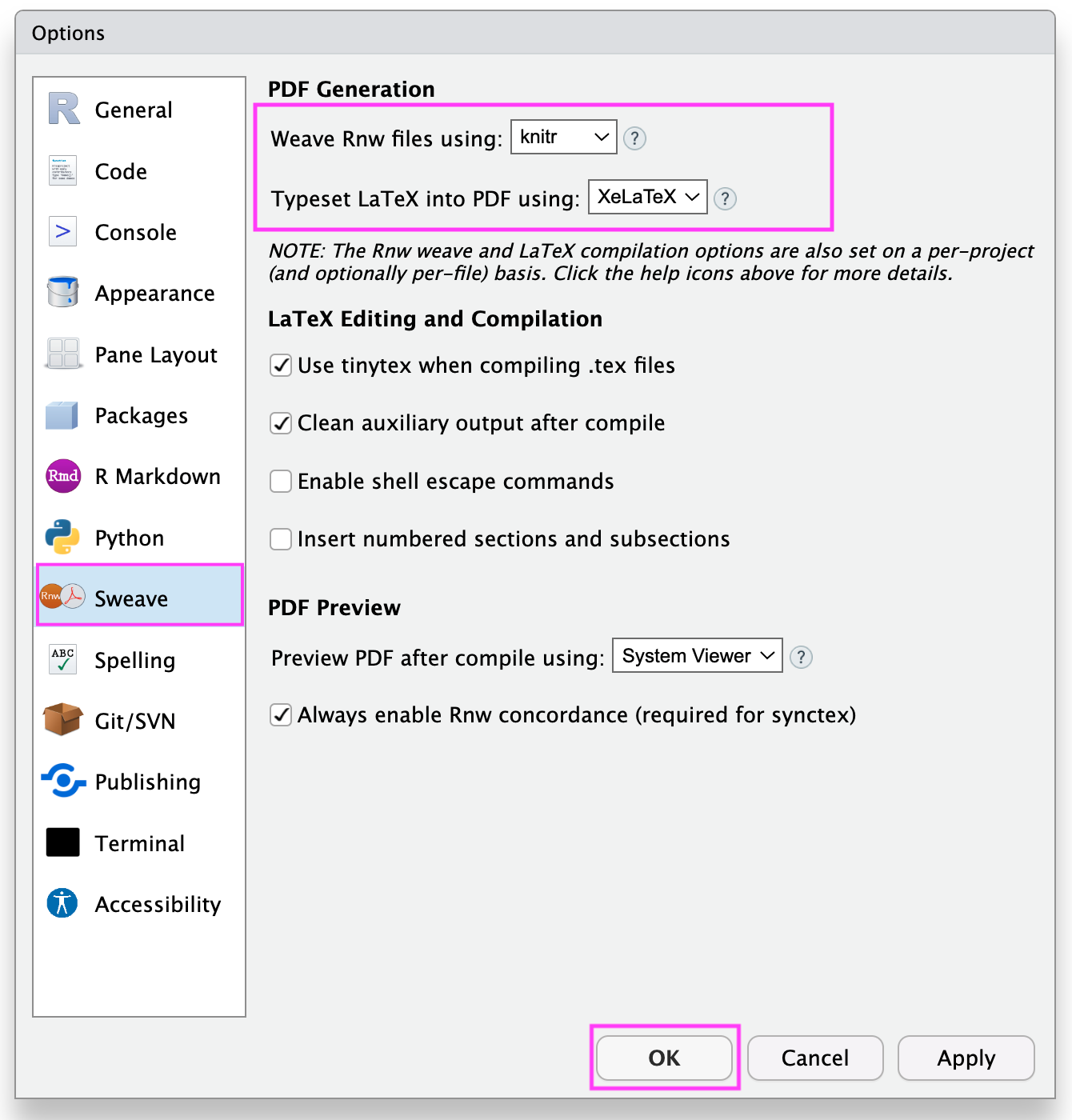
RStudio \(\rightarrow\) Tools \(\rightarrow\) Global Options
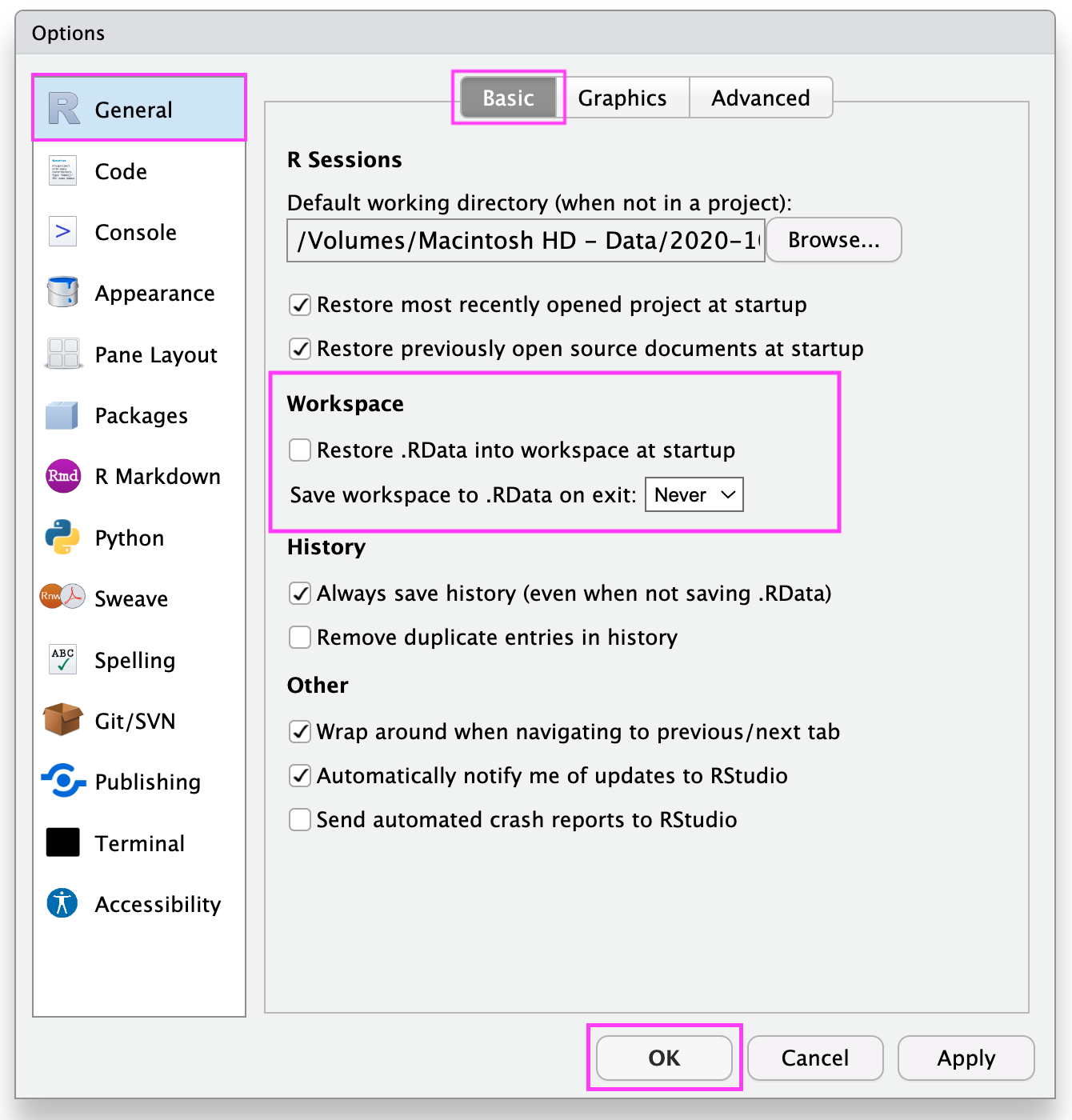
RStudio \(\rightarrow\) Tools \(\rightarrow\) Global Options
RStudio
Project
in 4 Steps

Open RStudio

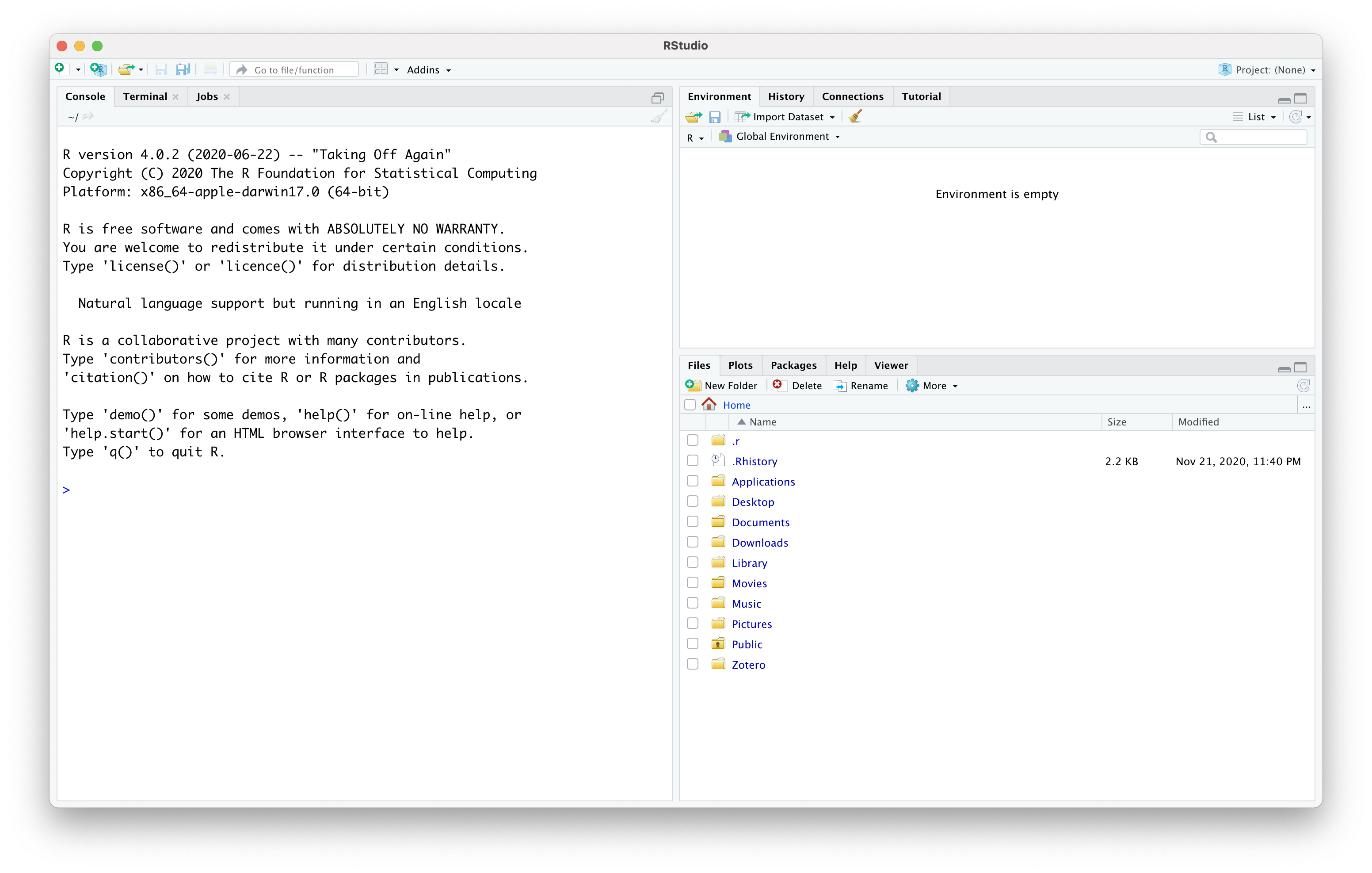
RStudio Without Project
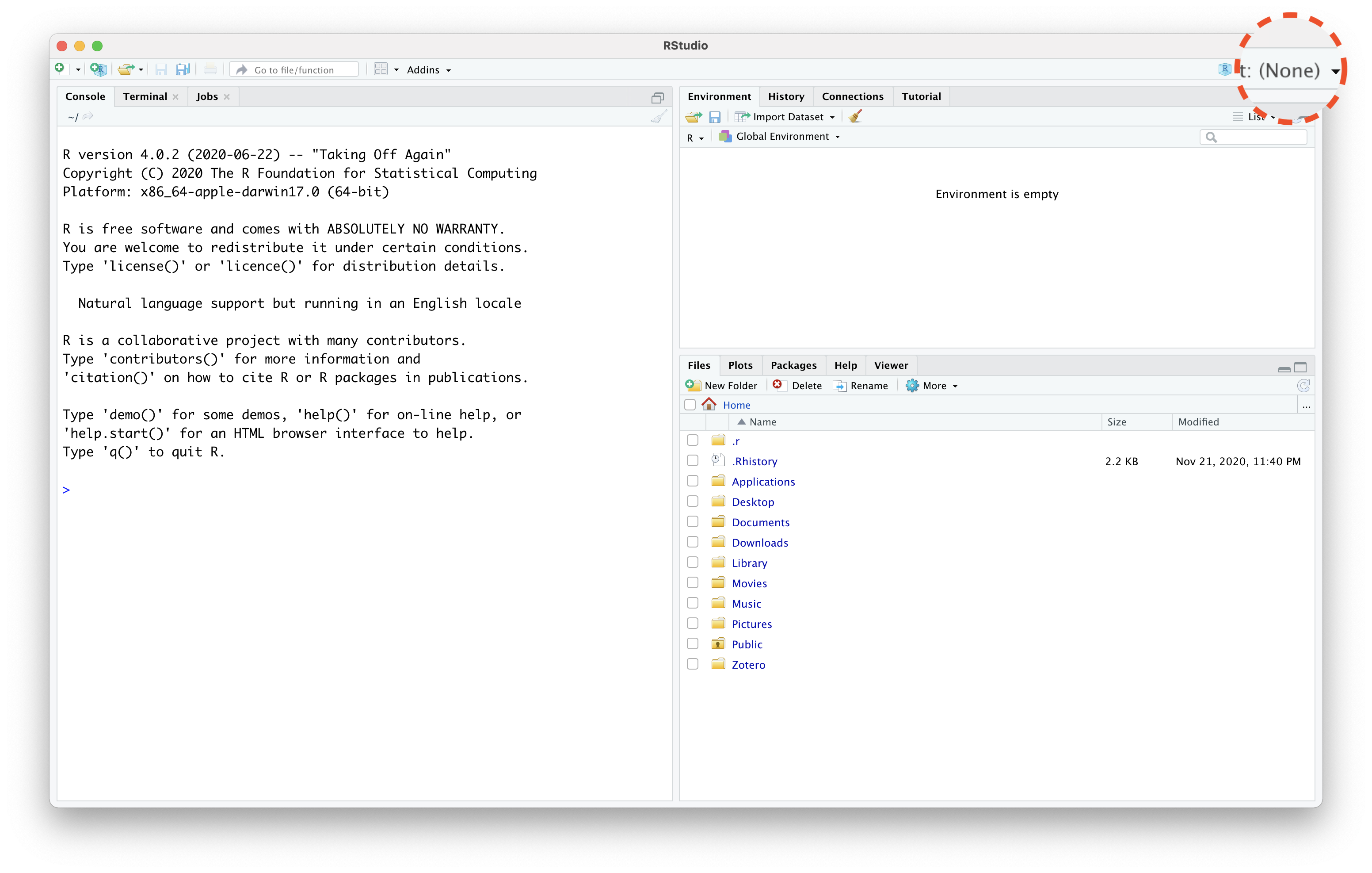
RStudio Without Project
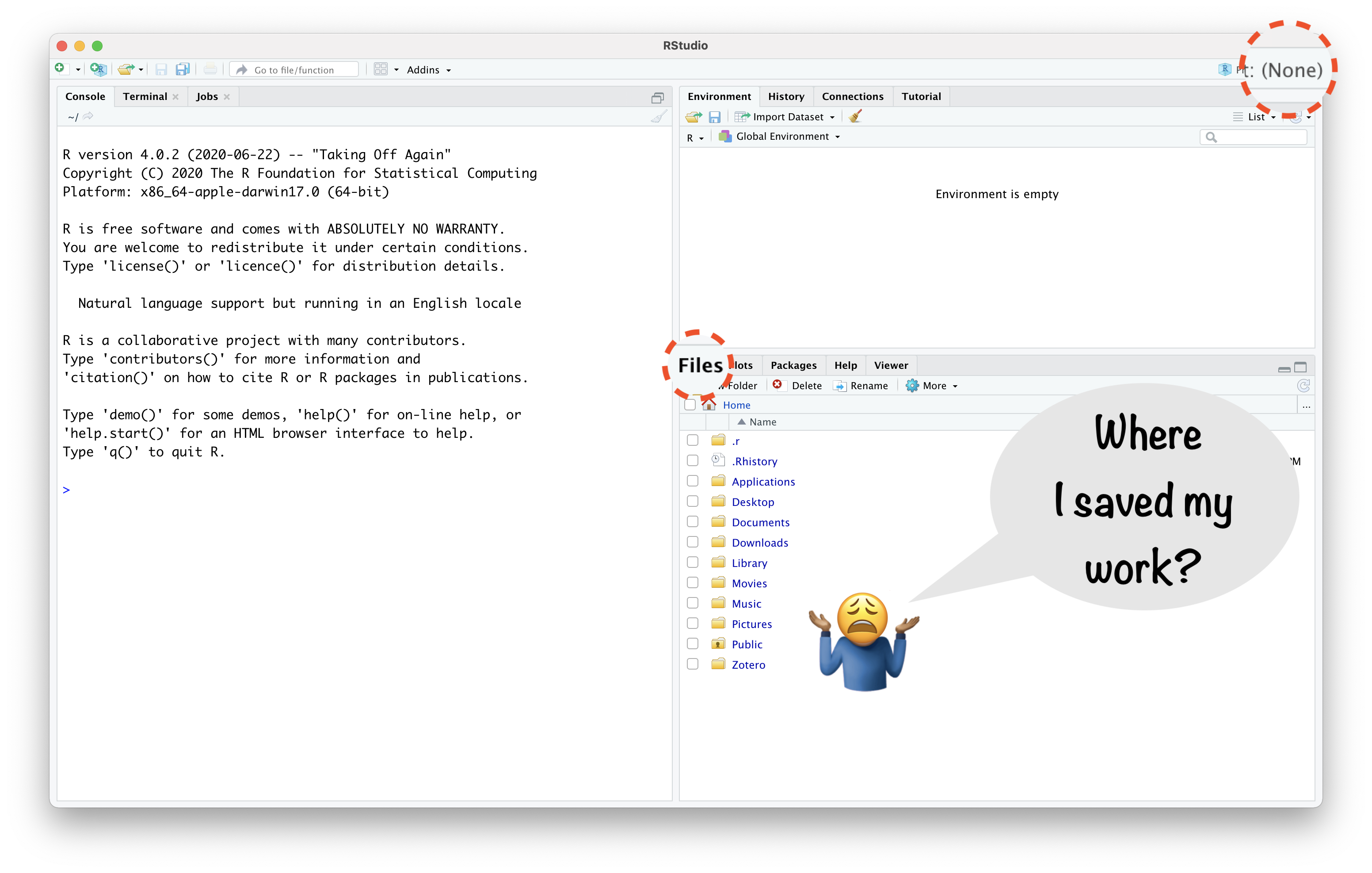
RStudio Project Helps:

  • “to divide your work into multiple contexts, each with their own”
    • working directory,
    • workspace,
    • history, and
    • source documents.”

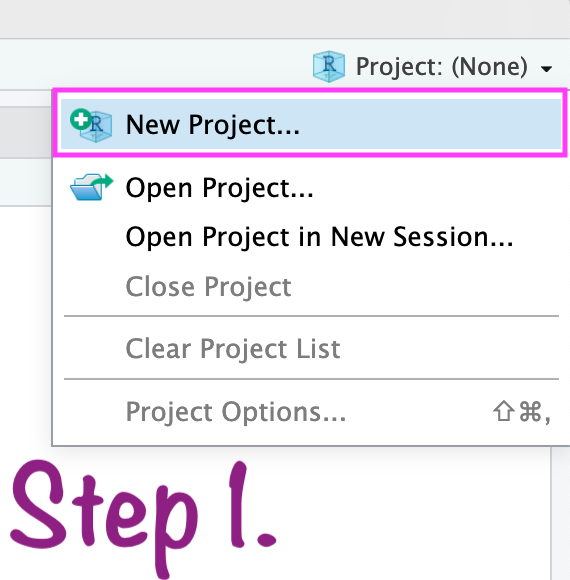
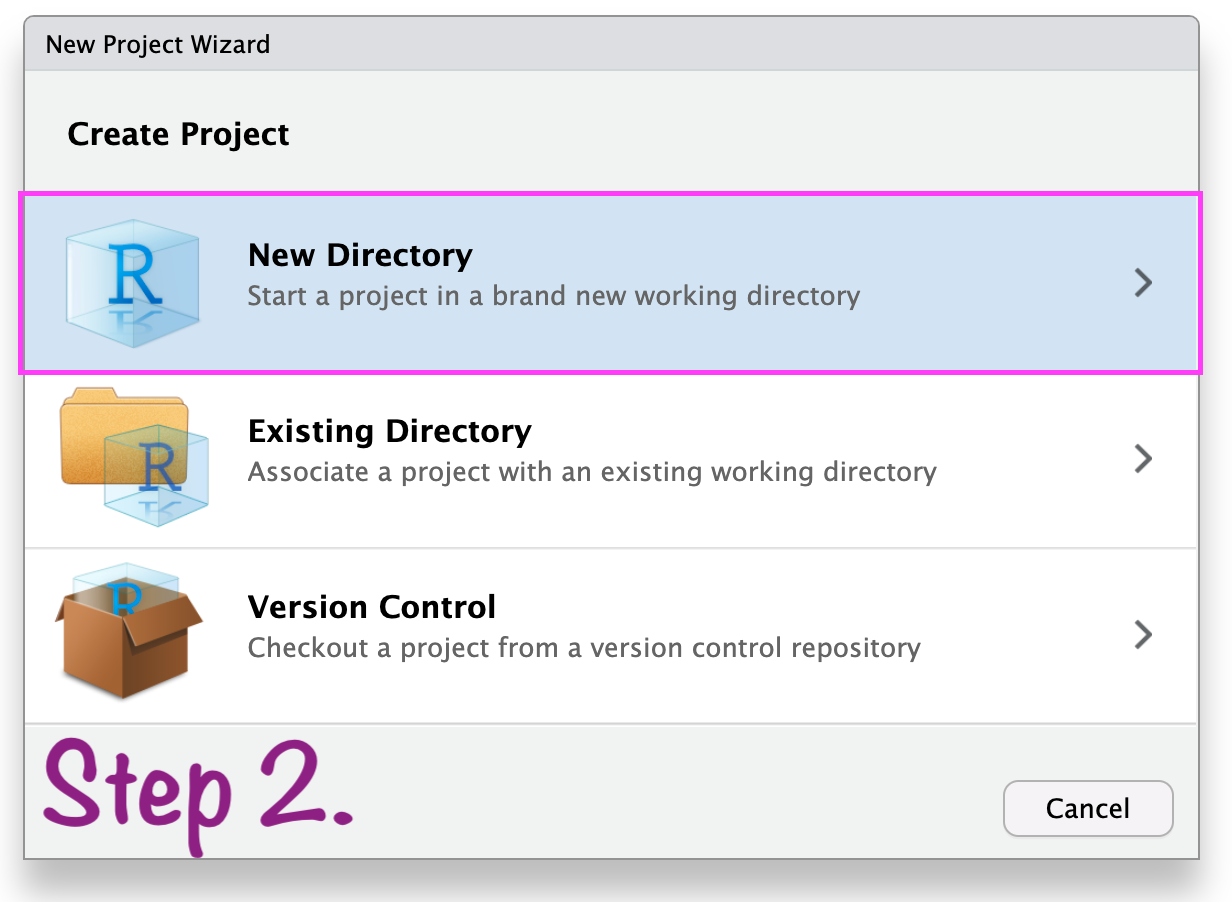
Create RStudio project

Create RStudio project
In case anything goes wrong\(...\)
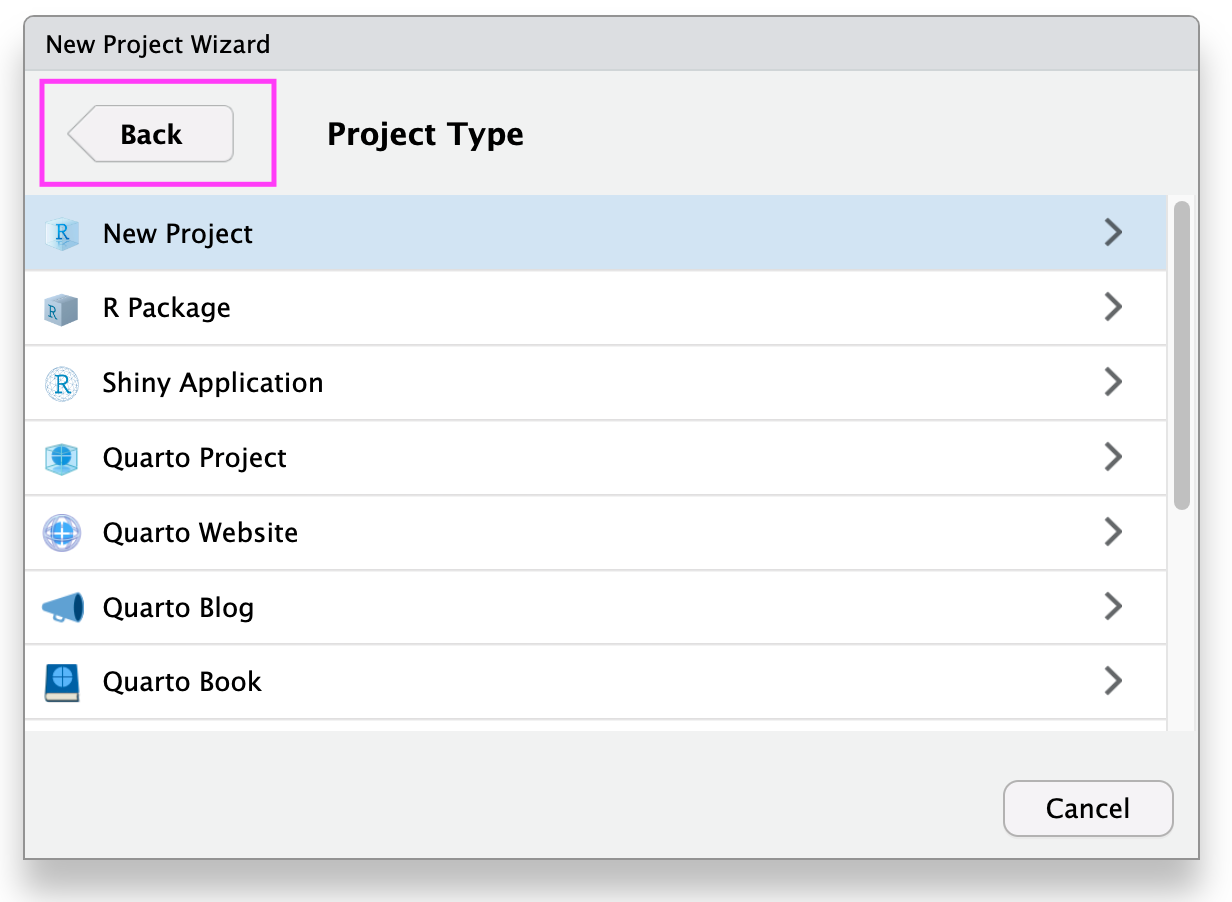
Create RStudio Project
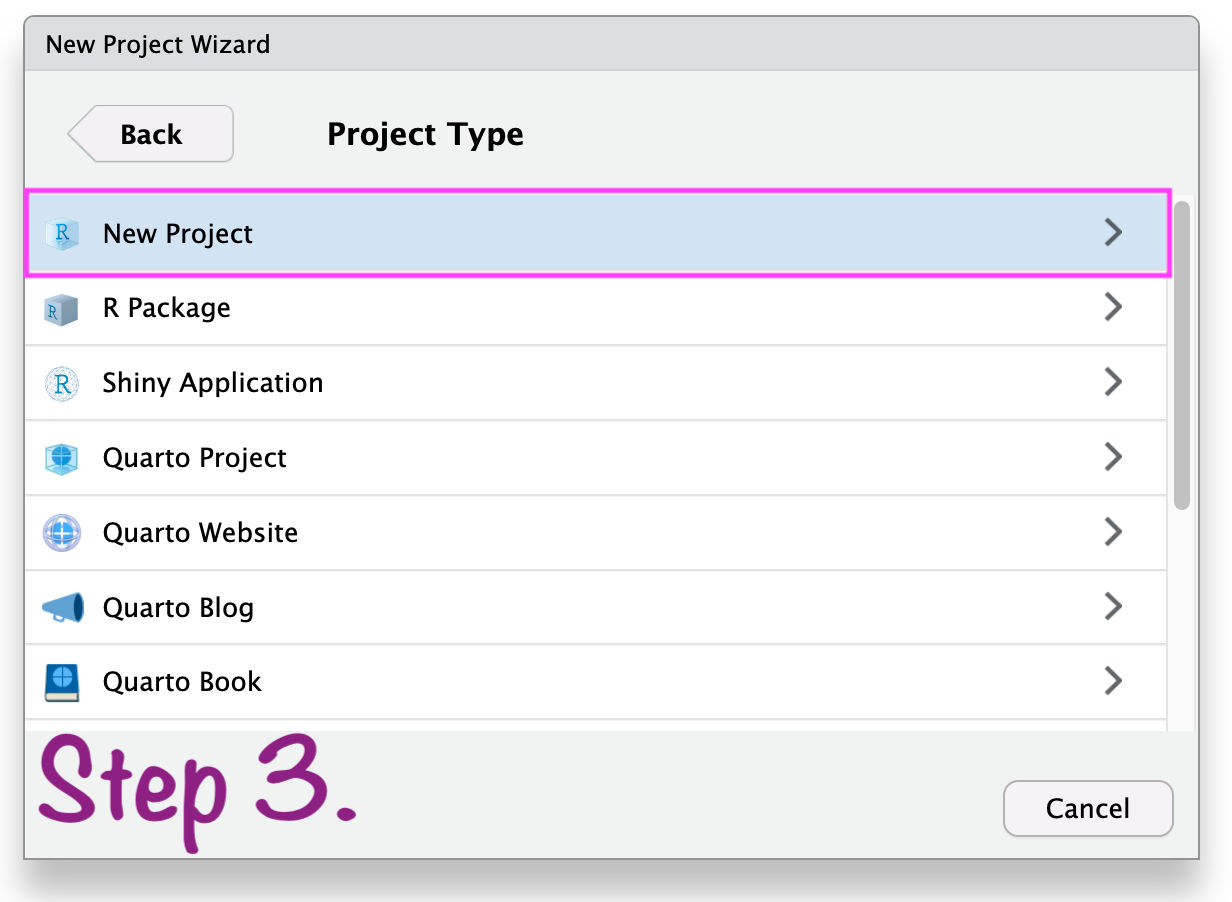
Create RStudio project
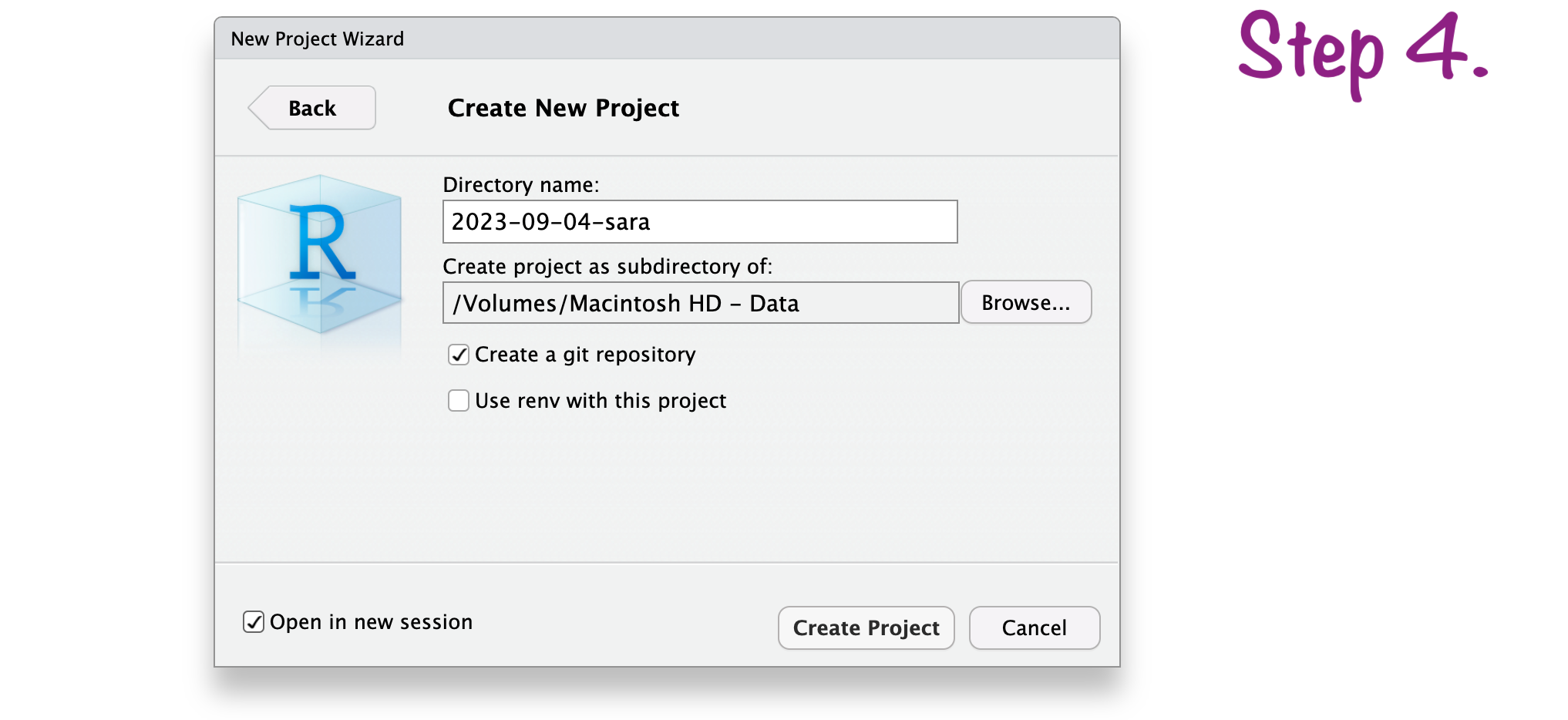
Create RStudio project
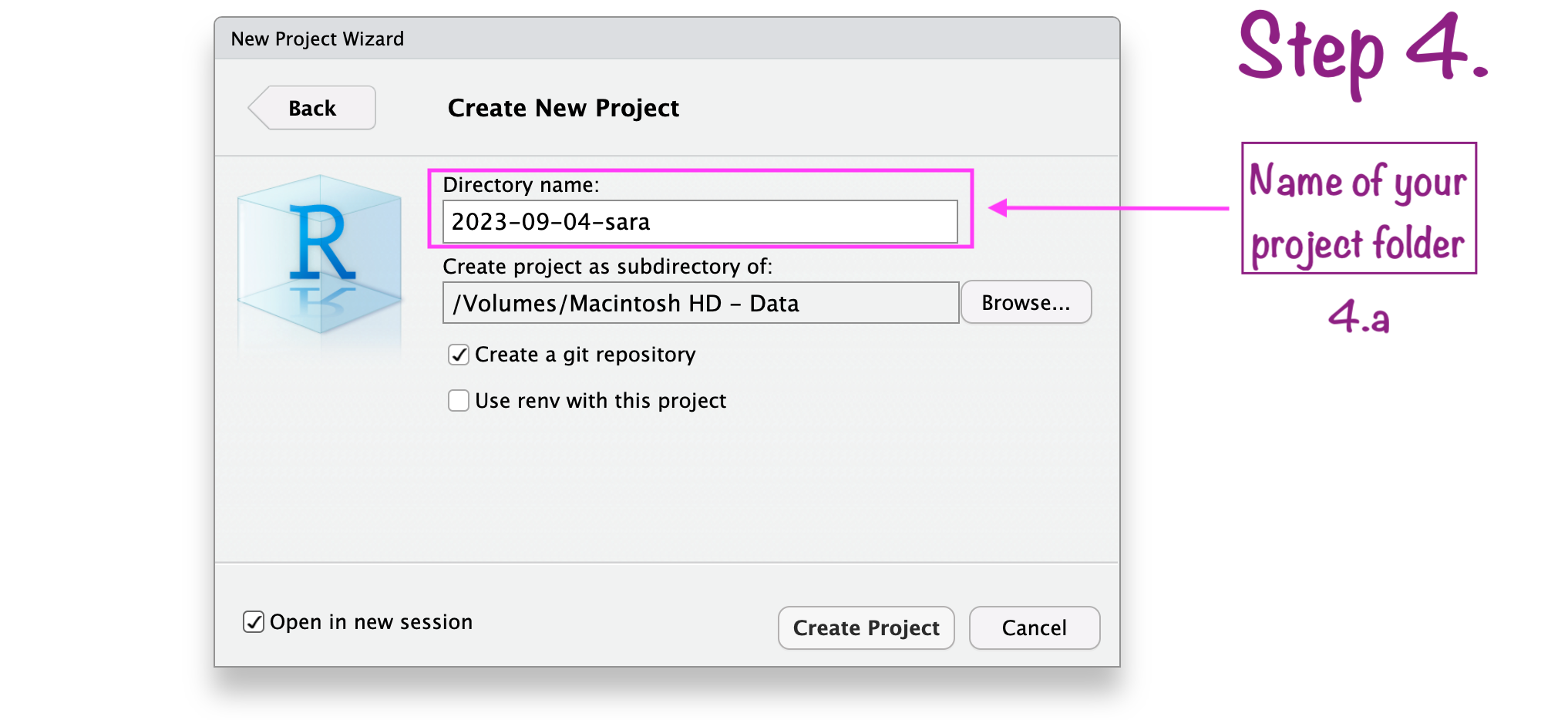
Create RStudio project
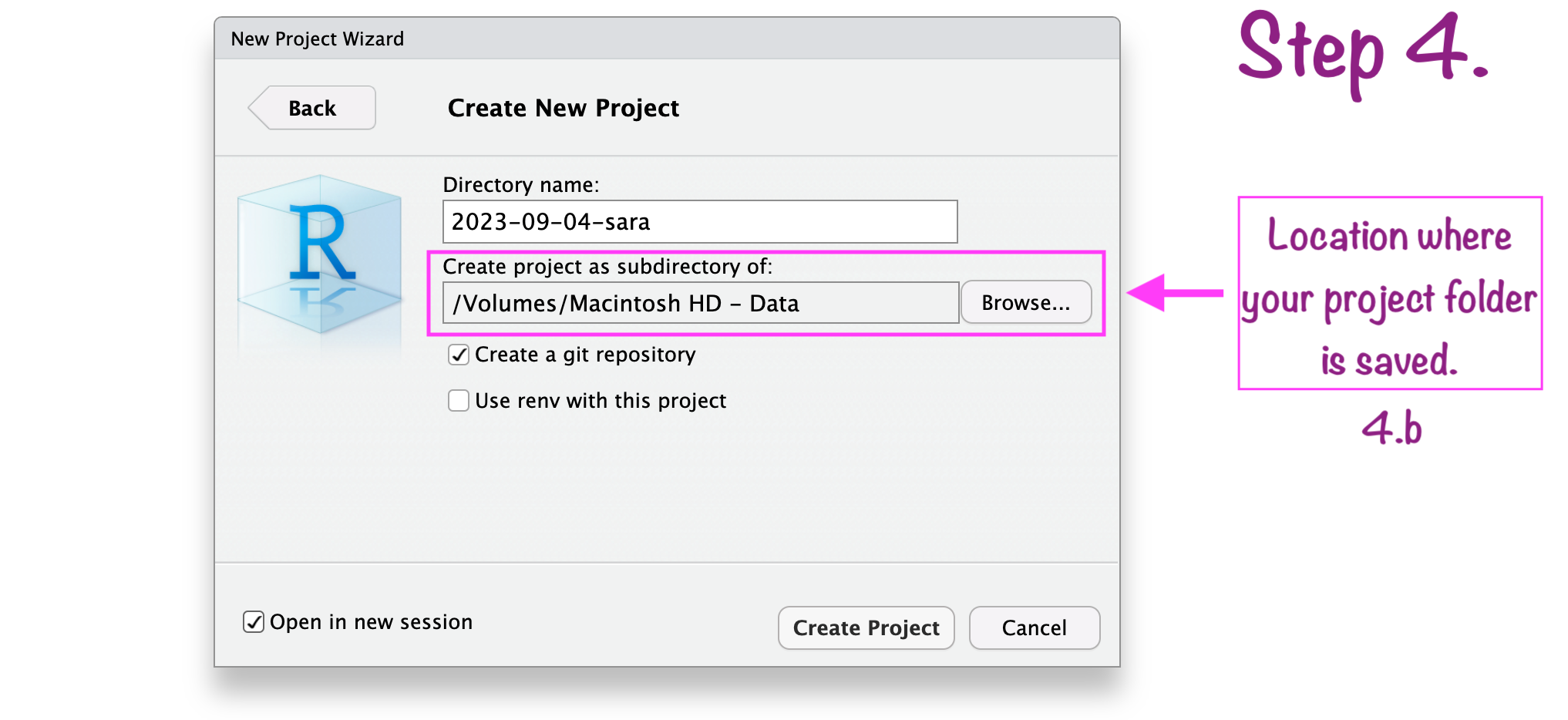
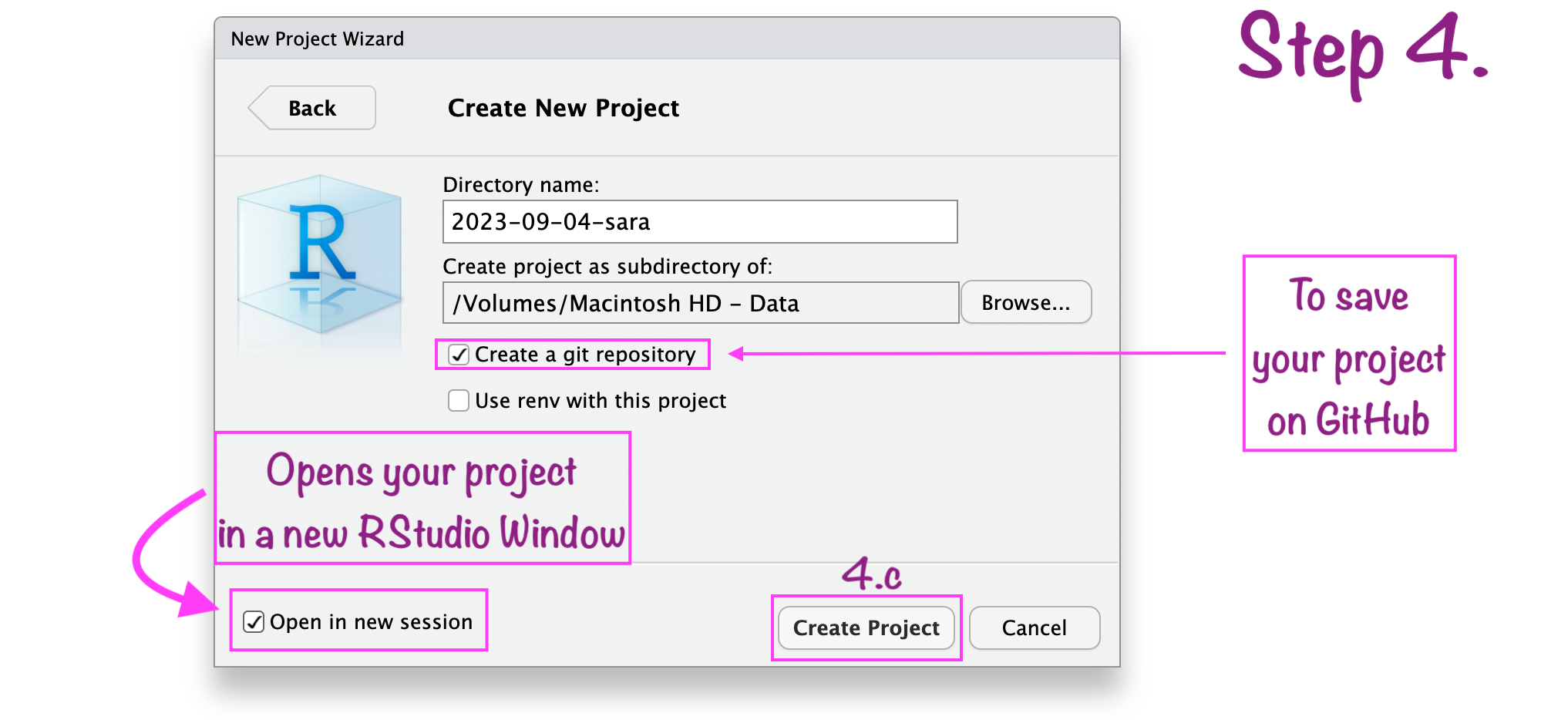
Create RStudio project
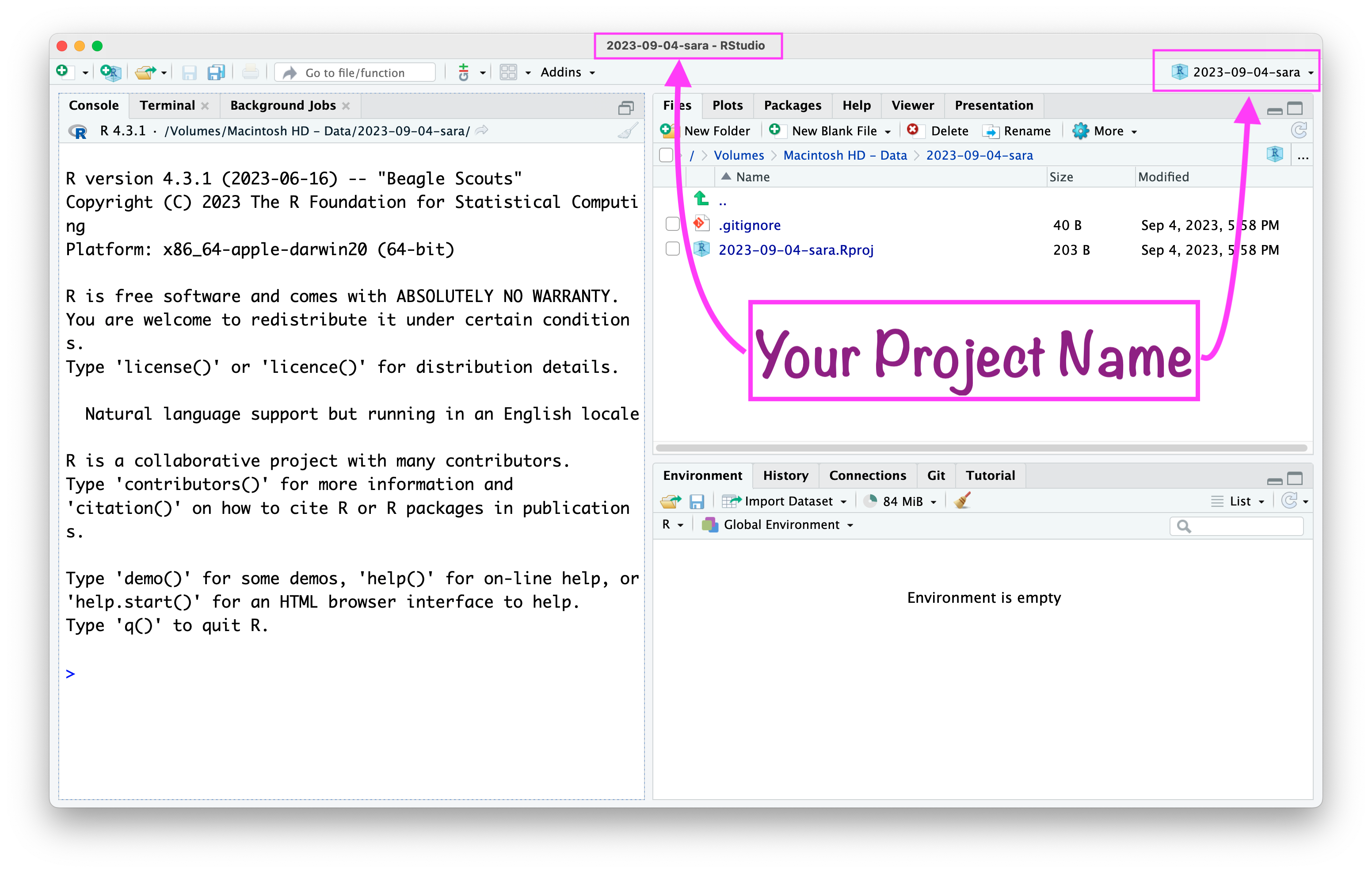
RStudio project “name”
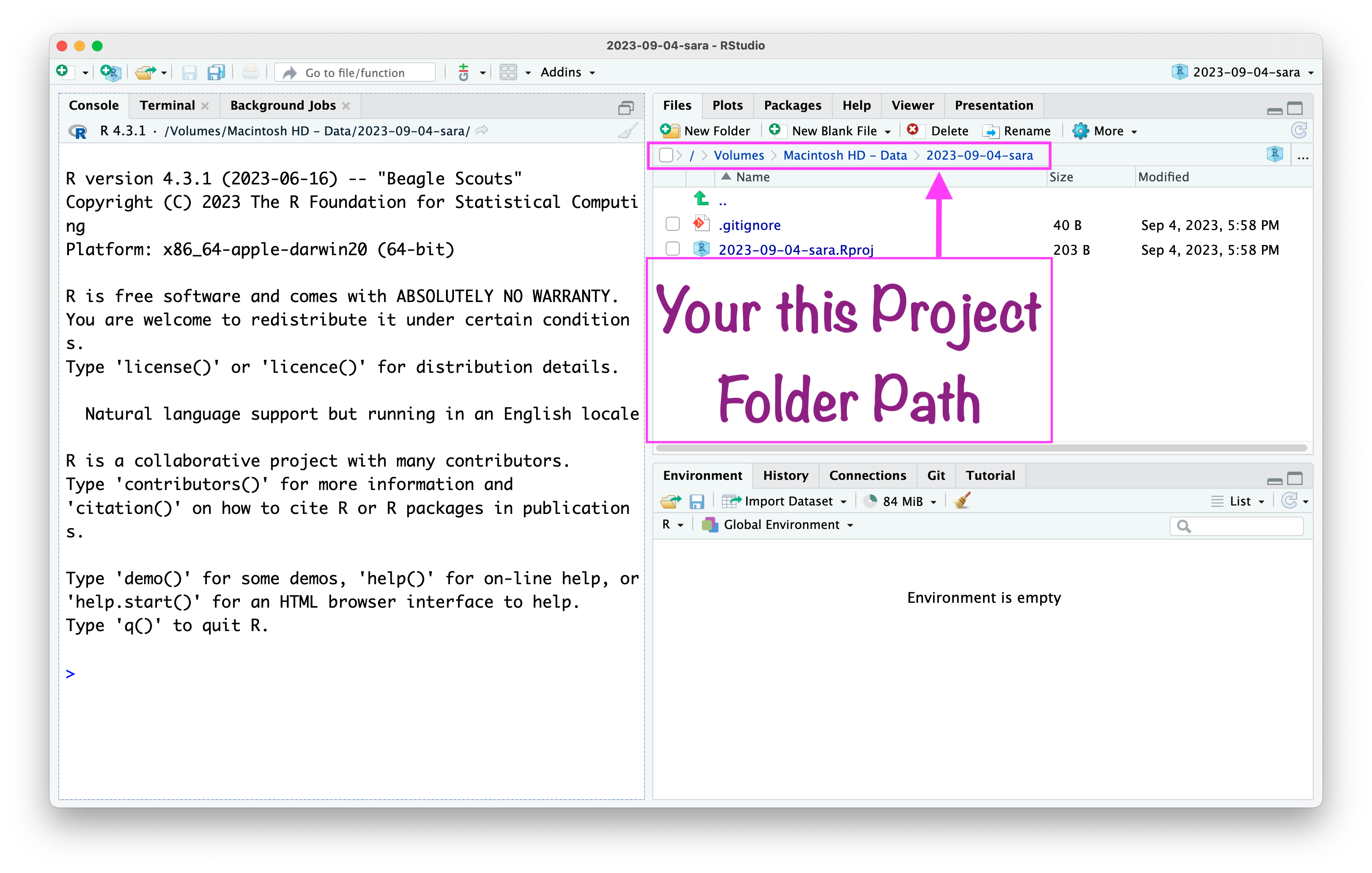
RStudio project “path”
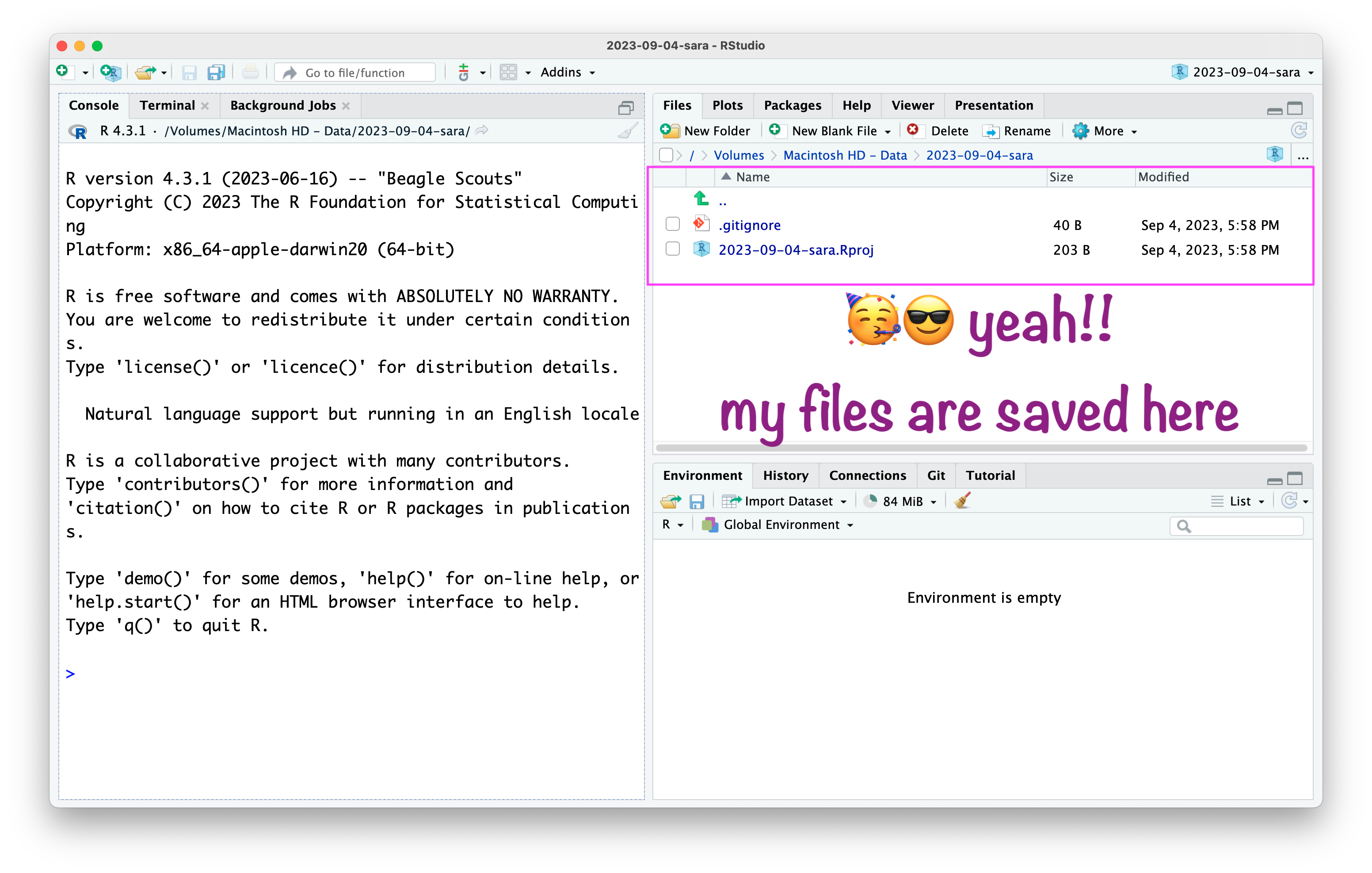
RStudio project
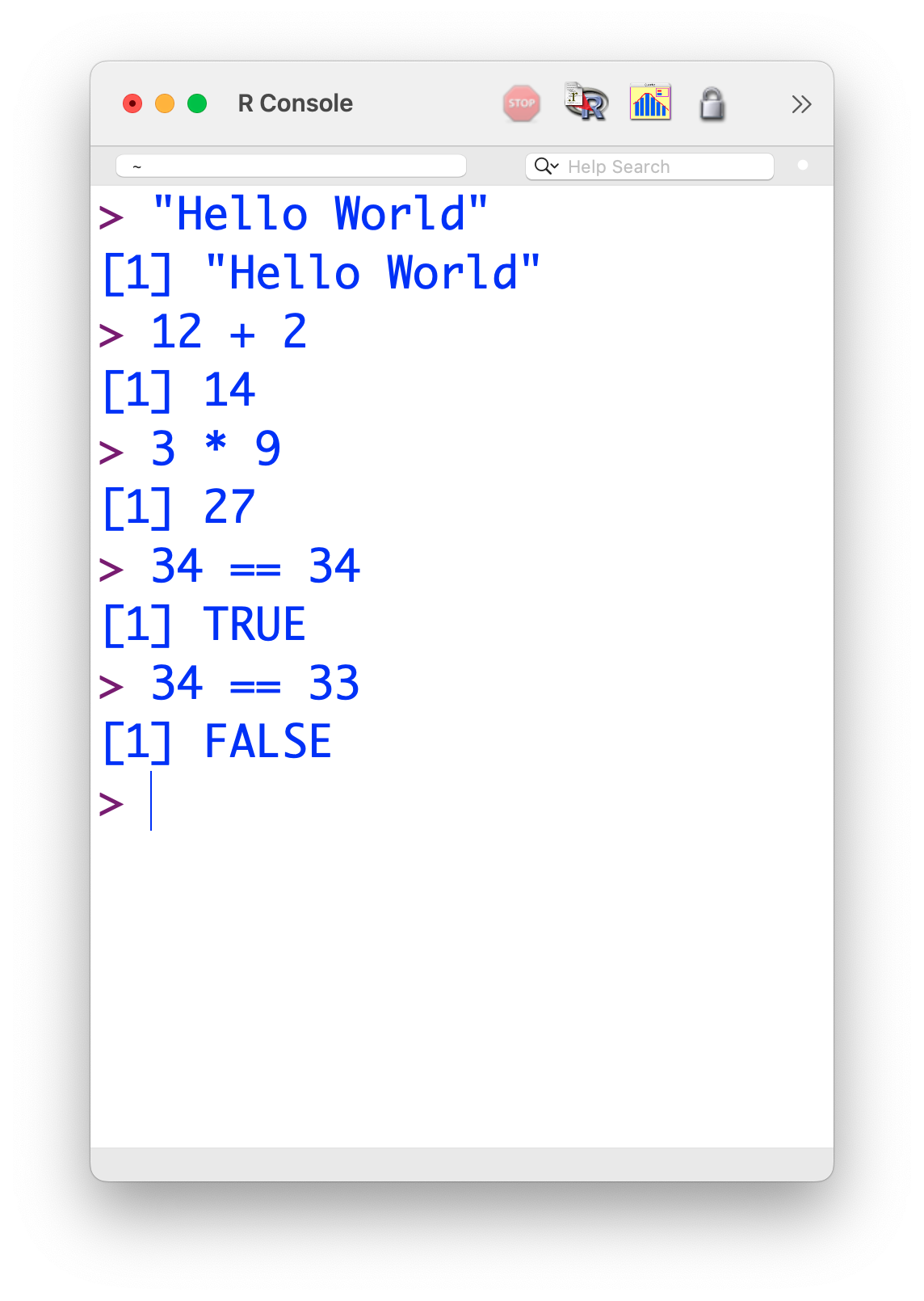
Write codes in RStudio console
Write codes in R script
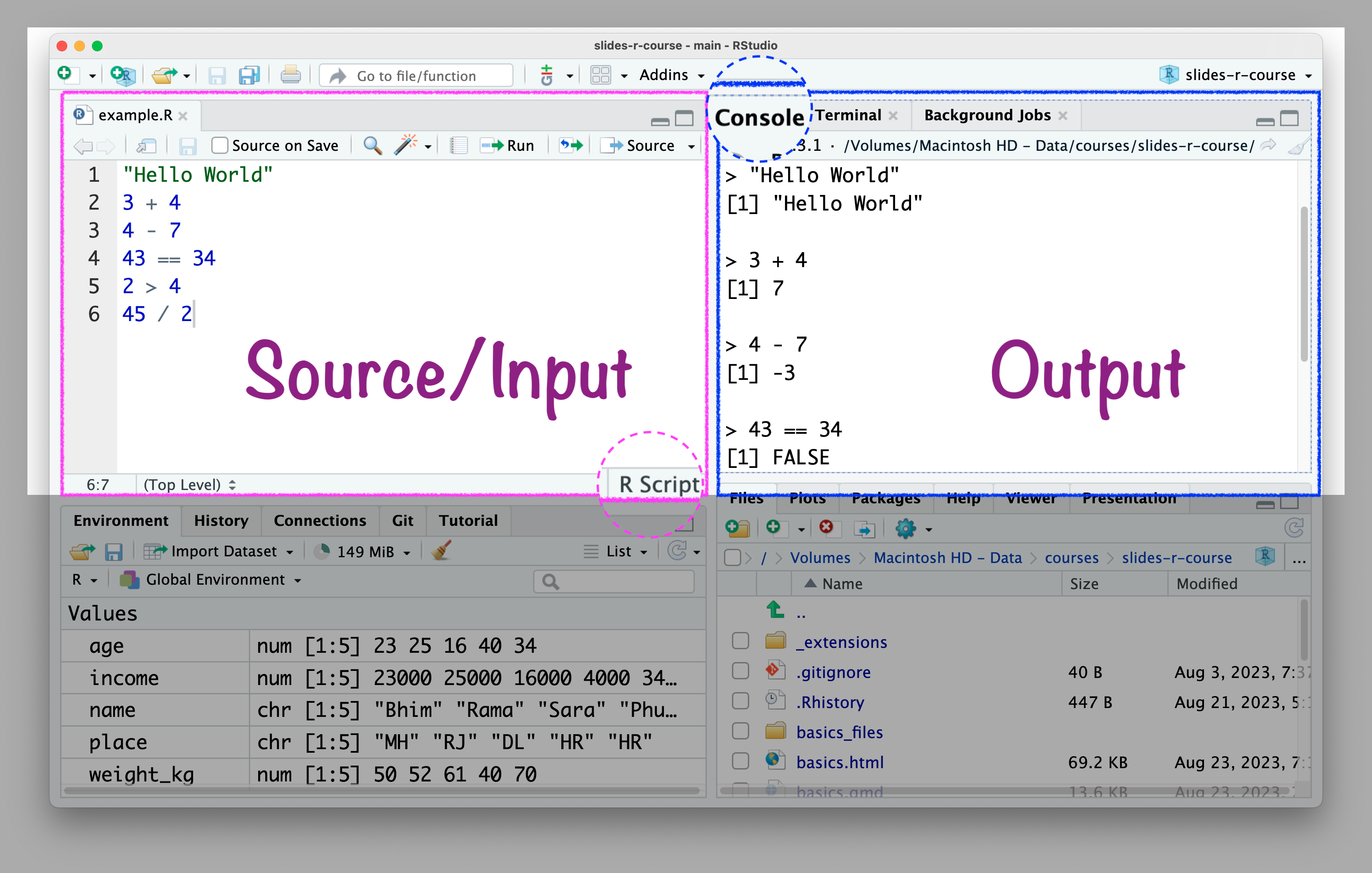

R script .R

Write codes in the R script \(\rightarrow\) Console will show the results.

  • Benefits of writing codes in R script:
    • You can save it for later use and revision.
    • You can share with others.
    • A better track of codes.

💡 Tips for R script:

  1. Writing readable code because other people might need to use your code.

  2. Writing readable code because you might need to use your code, a few weeks/months/years after you’ve written it.

  3. Put spaces between and around variable names and operators (=+-*/).

  4. Break up long lines of code.

  5. Keeping a consistent style.

🤯 Your Turn

1. What is R mainly used for?

  1. Web browsing.
  2. Gaming.
  3. Data analysis and statistics.
  4. Drawing cartoons.

🤯 Your Turn

2. What is RStudio?

  1. A video editing software
  2. A web browser
  3. An integrated development environment (IDE) for R
  4. A spreadsheet tool

🤯 Your Turn

3. What will 2 + 3 return in R?

  1. 5
  2. 6
  3. 23
  4. Error

🤯 Your Turn

4. Which of the following is used to create a sequence in R?

  1. list()
  2. seq()
  3. loop()
  4. run()

🤯 Your Turn

5. Where do you usually type your code in RStudio?

  1. Console or Script Editor
  2. File Explorer
  3. Toolbar
  4. Help tab

🤩 Your Turn Answers

  1. Correct answer: C) Data analysis and statistics

  2. Correct answer: C) An integrated development environment (IDE) for R

  3. Correct answer: A) 5

  4. Correct answer: B) seq()

  5. Correct answer: A) Console or Script Editor

🤯 Your Turn

6. What symbol is used to assign a value to a variable in R?

  1. =
  2. :=
  3. <-
  4. ==

🤯 Your Turn

7. Which function is used to view the structure of a dataset?

  1. str()
  2. data()
  3. view()
  4. layout()

🤯 Your Turn

8. How do you read a CSV file into R?

  1. read.excel()
  2. open.csv()
  3. read.csv()
  4. import()

🤯 Your Turn

9. Which package is commonly used for data visualization in R?

  1. dplyr
  2. tidyr
  3. ggplot2
  4. readr

🤯 Your Turn

10. What is the shortcut to run a line of code in RStudio (on Windows)?

  1. Ctrl + C
  2. Ctrl + Enter
  3. Ctrl + R
  4. Ctrl + S

🤩 Your Turn Answers

  1. Correct answer: C) <-

  2. Correct answer: A) str()

  3. Correct answer: C) read.csv()

  4. Correct answer: C) ggplot2

  5. Correct answer: B) Ctrl + Enter